


Dispatching
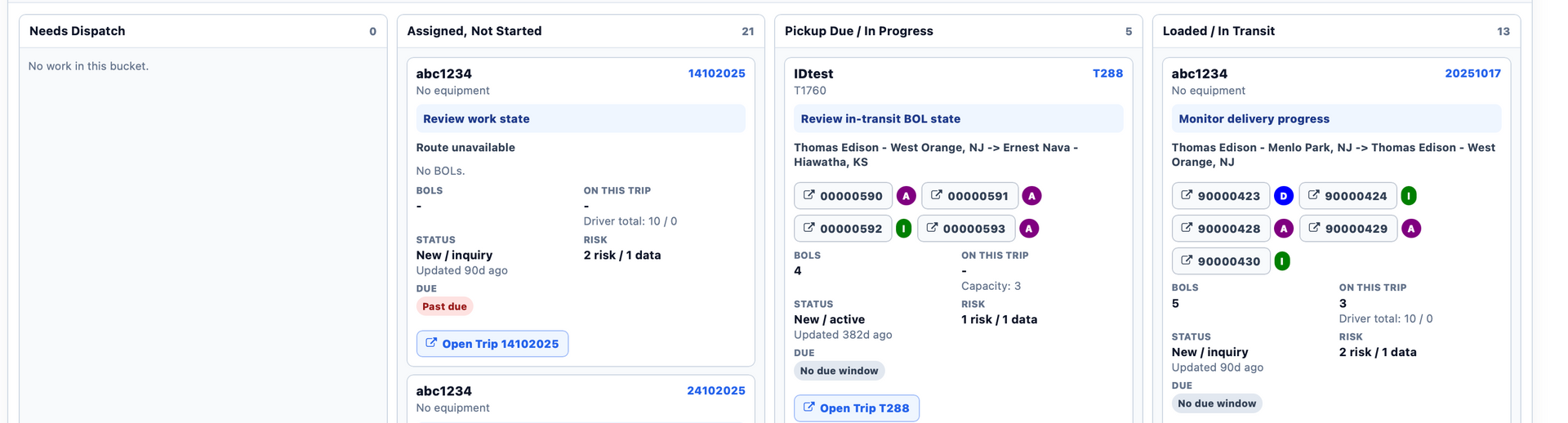
Build loads, assign drivers and dispatch from one board.
Software for high-value vehicle carriers
Drivers record damage with AIAG codes and photo markups at pickup. The record stays on the VIN. Before signing, View details shows the signer everything the driver entered. Dispatch, an offline driver app and VIN-level tracking run in the same system.
New in GoPhore Dispatch
Get a live view of your drivers, assigned work, onboard VINs, trailer capacity and operational risks, all from one workspace. See who is loaded, who has capacity and what needs review, then act straight from dispatch.
Learn more about GoPhore Command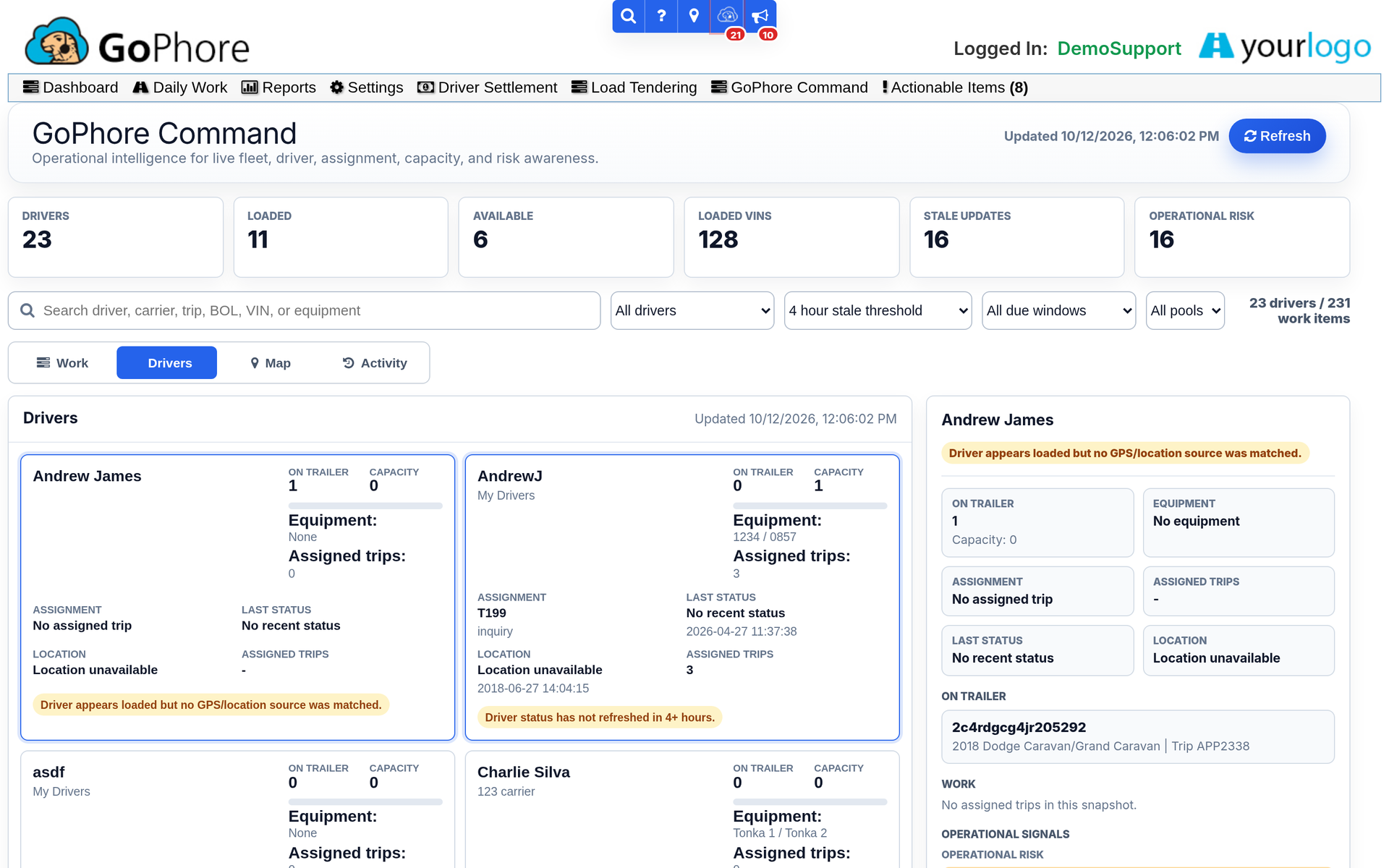
How it works
Dispatch builds the load, drivers inspect and deliver in the app, and customers follow each VIN, so everyone works from the same order.
Build loads, assign drivers and dispatch from one board.
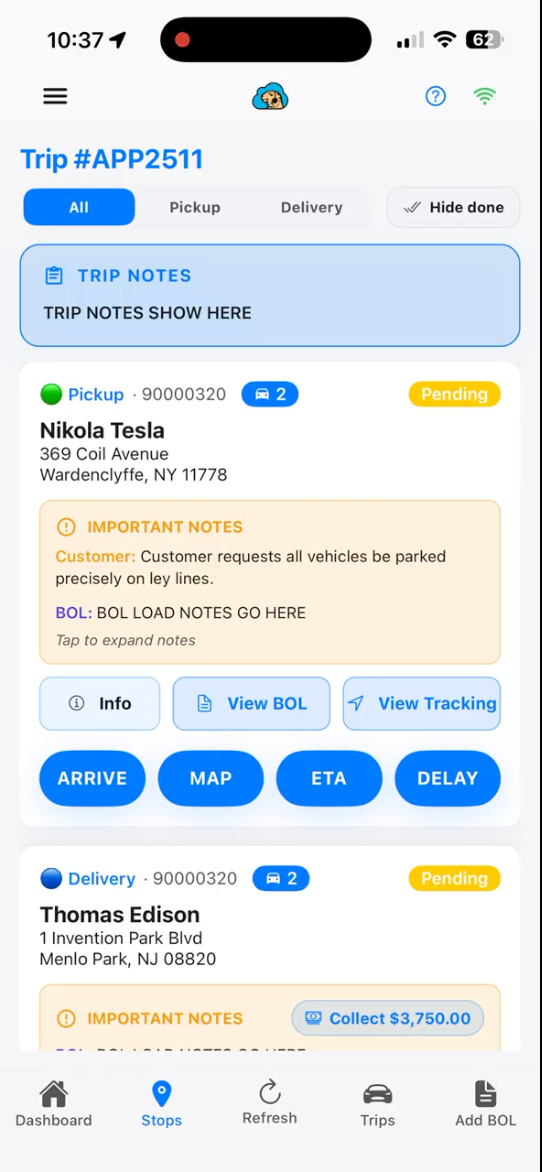
Designed for your drivers' smartphones and tablets, on iOS and Android.
1At pickup
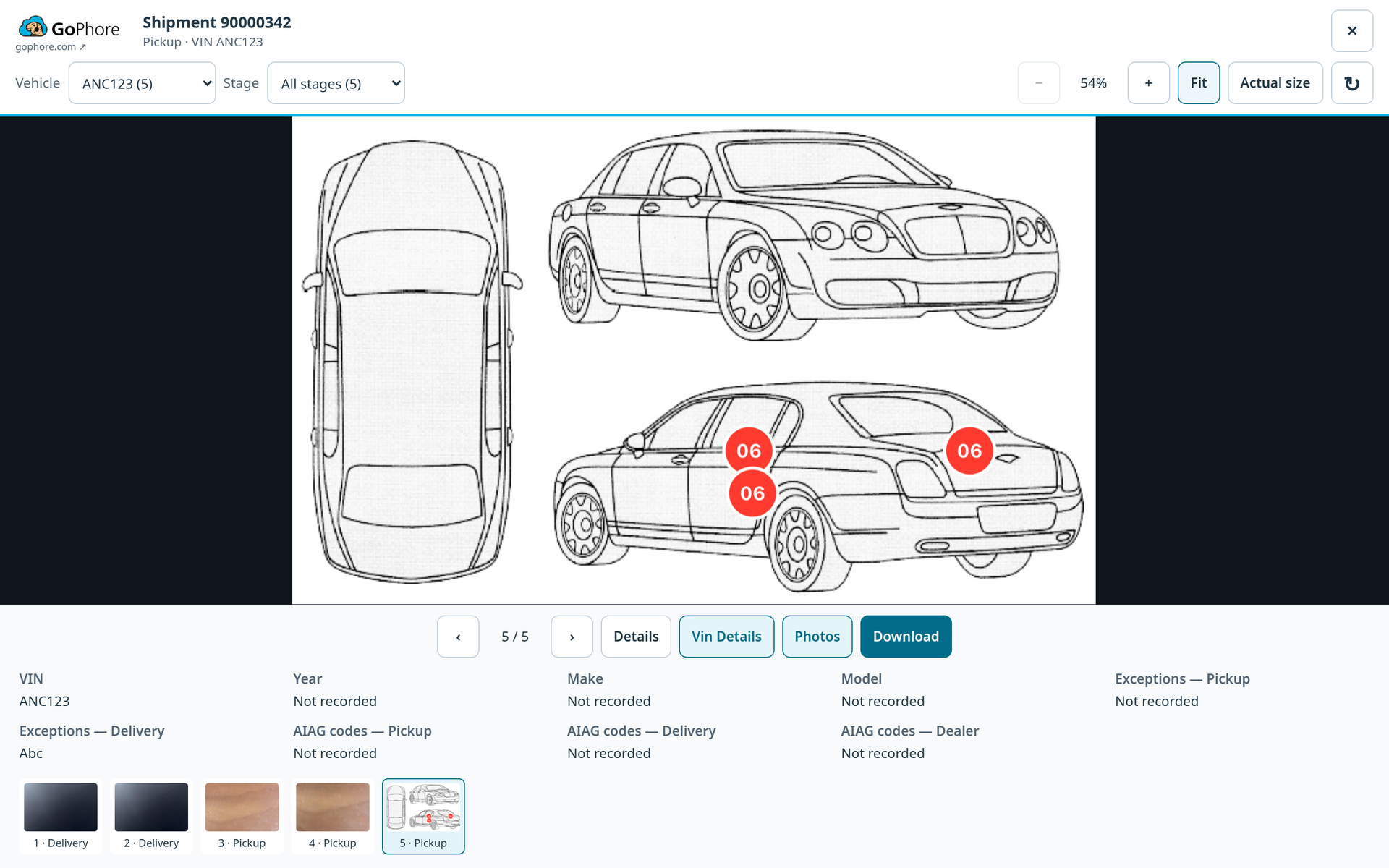
Drivers record damage with AIAG codes and photo markups.
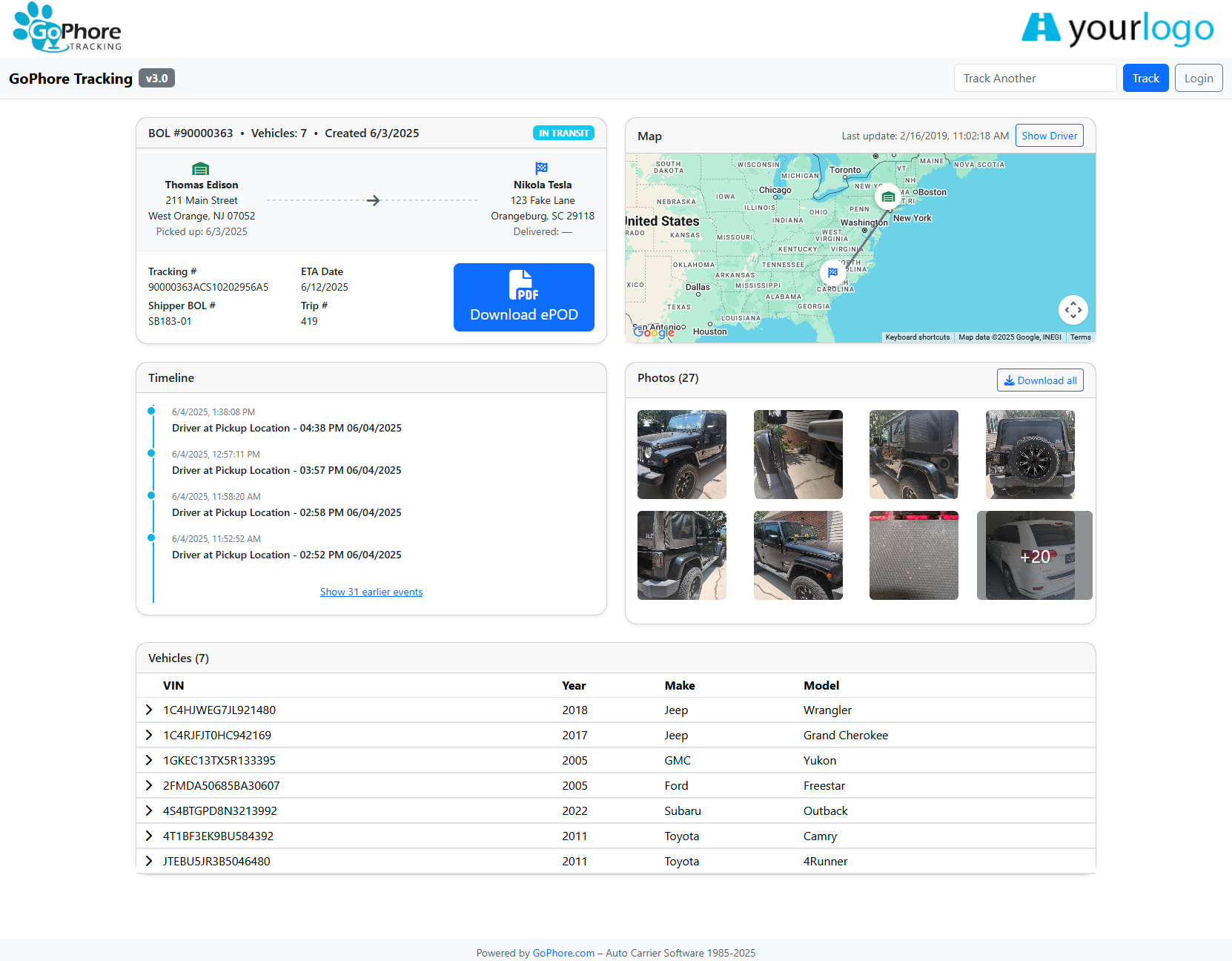
2On the VIN
Markups are stored on the VIN, and your customers can download the photos as a ZIP.
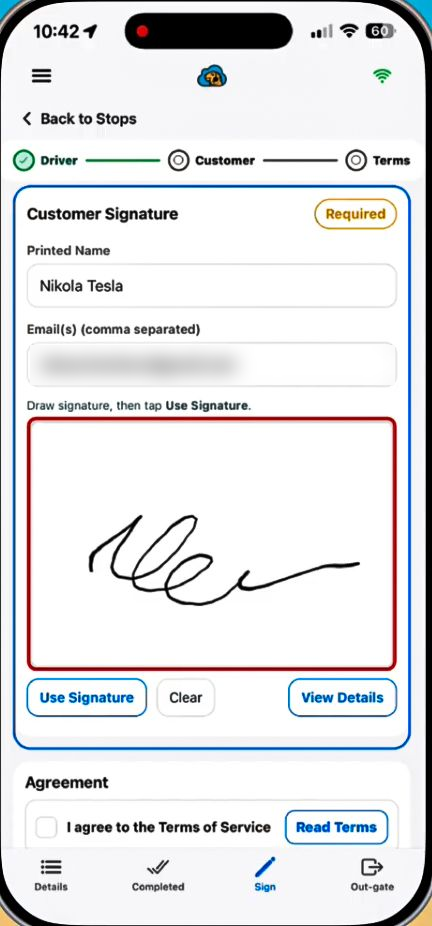
3At delivery
Before signing, View details shows the signer everything the driver entered.
Document condition with AIAG codes and photo markups, and give customers a photo viewer by VIN.
Exchange data with manufacturers, ports and railroads.
An iOS and Android driver app that keeps working offline.
Dispatch the load and document condition at pickup.
Tap any spot. Every damage code is built the same way.
How a five-digit code is built
Because every party uses the same code tables, a damage noted at one handoff means the same thing at the next one.
AIAG damage codes are recorded on OEM moves. On private-owner moves, drivers mark damage on the vehicle diagram and on the photos instead. The diagram here is an illustration of how a code is built, not a real damage record.
Features
Build loads, assign drivers and dispatch from one board.
Follow every vehicle by VIN from pickup to delivery.
iOS and Android app that keeps working offline and syncs when drivers reconnect.
Inspection photos with AIAG damage codes and photo markups.
Contactless signatures. Before signing, View details shows the signer everything the driver entered.
A tracking page your customers can open, with the driver's photos and a Download ZIP link.
Ingate and outgate vehicles and see your yard on one dashboard.
Exchange data with manufacturers, ports, railroads, auctions, load boards and accounting systems.
Connect GoPhore to QuickBooks for your accounting workflow.
Bring location data from your GPS provider into GoPhore.
Analyze your operation in Analytics Hub and pull the reports you need from Report Center.
Run driver settlements and driver pay reports from the work your drivers complete.
Enclosed and high-value carriers
The same features cover enclosed and high-value moves, with one condition record per VIN from pickup to signature.
GoPhore includes workflows for auction pickups.
Car auction workflowsConnect GoPhore to QuickBooks for your accounting workflow.
Accounting in GoPhoreRunning a driveaway operation? See GoPhore for driveaway companies.
Integrations
GoPhore exchanges data with manufacturers, ports, railroads, auctions, load boards, accounting, mapping and fuel card providers.










 Coming soon
Book a demo and we'll walk through dispatch, the driver app, inspections, ePOD and VIN-level tracking for your workflow.